Save Time with AI
Five Ways AI Can Save Your Small Business Time This Week
By Lisa Monks ·
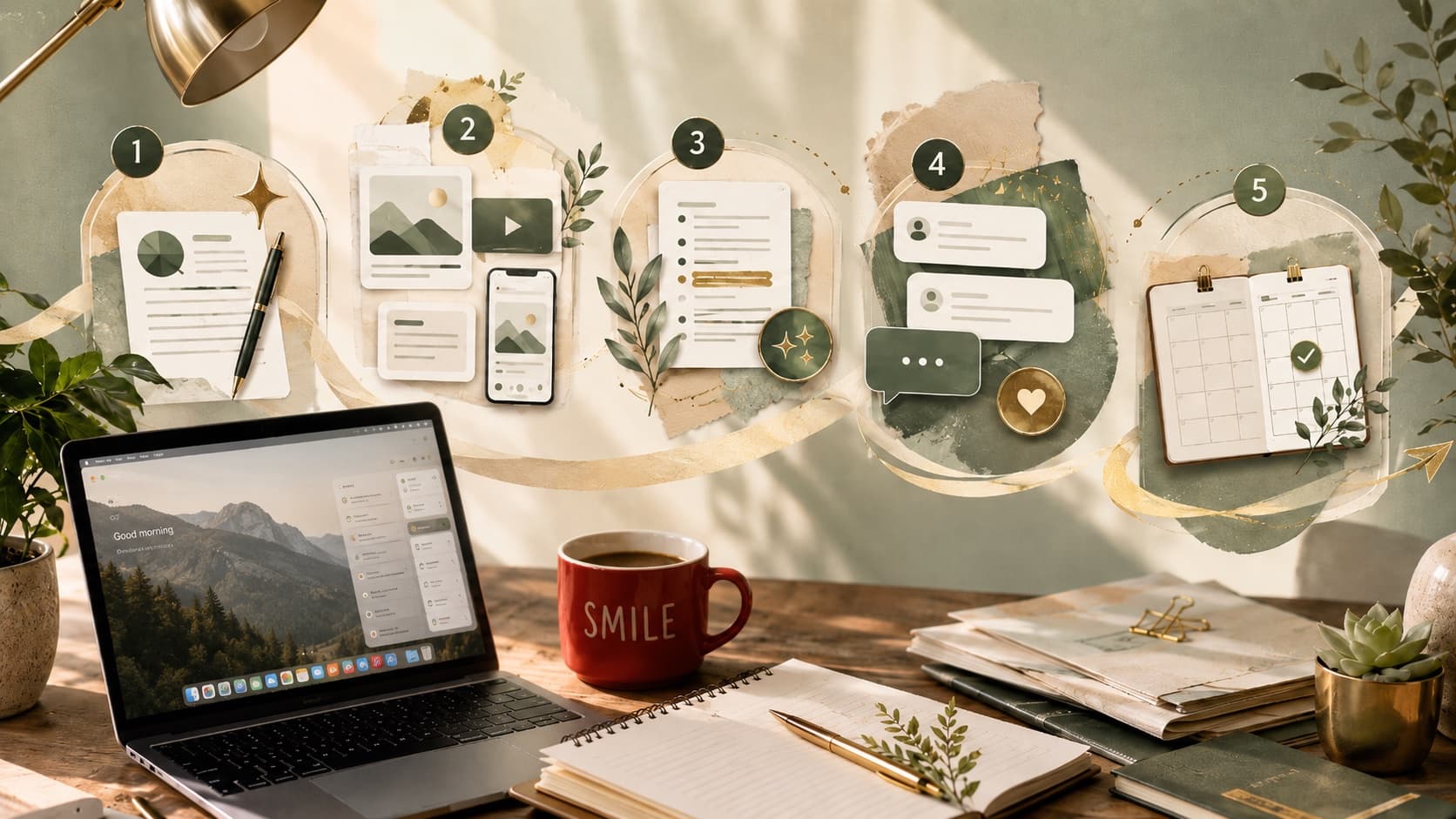
Forget the sci-fi headlines.
The real story of AI for small business is far more ordinary - and far more useful.
It's not about robots taking over your business.
It's about getting through the jobs that keep eating your afternoon.
The emails you keep rewriting.
The notes you haven't turned into anything.
The documents you've been avoiding.
The content you know you should post, but haven't had the headspace to plan.
Here are five practical ways AI can help you save time this week, even if you're just getting started.
(Haven't picked a tool yet? Start with my beginner's guide to choosing your first AI tool, then come back to this list.)
1. Get off the blank page faster
This is one of the easiest places to start.
AI is very good at helping you create a first draft of something you already know you need to write.
That might be:
- a customer email
- a social media post
- a product description
- a job ad
- a staff notice
- a short website update
- a reply to an enquiry
- a simple event blurb
The draft won't be perfect.
That's fine.
Editing something is usually much faster than staring at a blank screen.
Try this:
Draft a warm, professional email to customers letting them know our prices are changing from 1 August. Keep it under 150 words. Make it clear, respectful and not too apologetic.
Or:
Write three Facebook post ideas for a local café during a quiet winter week. The goal is to encourage locals to come in for breakfast or coffee. Keep the tone friendly and not too salesy.
The important bit is this: don't just say "write me a post".
Tell it who the audience is, what the goal is, and how you want it to sound.
If you've already written up anything about your business - your services, your prices, your story - give it that too.
And if you've been using AI to create content for a while, you may have heard the term "knowledge document". It sounds technical, but it's simply one document that acts as the bible for your entire business - what you do, who your customers are, what you offer, how you sound, and the things you'd never say. Write it once, share it with the AI at the start of a conversation, and every draft comes back sounding more like you.
That's where the better results start.
💡 Top tip: Want better answers from any prompt, in any tool? Add this one sentence at the very end:
Before you answer, ask me any questions you need to give me the best possible result.
One sentence, and the AI goes from guessing what you want to asking. You'll notice the difference straight away.
2. Turn one piece of work into several
Small business owners often create useful material without realising it.
A customer email could become a social media post.
A staff explanation could become an FAQ.
A newsletter could become three short posts.
A list of common questions could become a blog.
A video transcript could become captions, an email and a checklist.
You don't always need to create something new.
Sometimes you just need to reuse what you've already done.
Try this:
I'm going to paste an email I sent to customers. Please turn it into three Facebook posts, one short Instagram caption, and five FAQ-style questions and answers for my website. Keep the tone clear, helpful and friendly.
This is where AI can save a lot of time, especially if you're trying to stay visible online without constantly starting from scratch.
3. Summarise the long stuff
Every business has documents that take time to read.
Supplier updates. Industry reports. Meeting notes.
Terms and conditions. Training material. Long emails.
Grant guidelines. Proposals. Policies.
AI can help you get the gist faster, but this comes with a big warning: you still need to check important details yourself, especially anything legal, financial, contractual or compliance-related.
Think of AI as the assistant that helps you find where to look, not the final decision-maker.
Try this:
Summarise this document in plain English. Give me the five most important points for a small business owner, then list anything that looks like a deadline, cost, risk or action I need to follow up.
Then paste the text or upload the document if the tool allows it.
You can also ask follow-up questions:
What are the parts of this document I should read carefully before signing?
or:
What questions should I ask my accountant before making a decision?
That last part matters.
AI can help you prepare better questions for the right professional, but it shouldn't replace the professional.
4. Create reusable replies for common enquiries
Most businesses answer the same questions again and again.
What are your opening hours? Do you have availability? How much does it cost?
Can I change my booking? Do you cater for dietary requirements?
Can you send more information? Can I get a refund?
Instead of writing those replies from scratch every time, AI can help you create a small bank of go-to responses in your voice.
You still check and personalise them, but you're not starting from nothing each time.
Try this:
Help me create five reusable email replies for common customer enquiries. The tone should be warm, helpful and professional. Please include replies for pricing, availability, booking changes, a gentle payment reminder and a "thanks but no thanks" response.
Then refine it:
Make these sound more like a small local business, less corporate and more natural.
This is especially useful for small teams where everyone answers customers slightly differently. A set of approved replies can save time and keep the customer experience more consistent.
5. Untangle your thinking before you take action
This one surprises people.
AI isn't just useful for writing.
It can also help you think through a messy situation.
Planning a promotion. Working out what to prioritise. Preparing for a meeting.
Deciding what to include in an offer. Breaking a big job into smaller steps.
Looking at a slow sales week and working out what to try next.
It's not there to make the decision for you.
It's there to help you ask better questions and see the options more clearly.
Try this:
I run a small local business and I want to plan a promotion for the school holidays. Before giving me ideas, ask me 10 questions that would help you understand my business, customers, budget, timing and what I want to achieve.
Or:
I have too many things on my to-do list and I don't know where to start. Help me sort this list into urgent, important, quick wins and things that can wait. Ask questions if you need more context.
That's a very practical use of AI.
Not flashy.
Not sci-fi.
Just useful.
The catch, because there's always one
AI can save you time, but it can also get things wrong.
Confidently.
That's why the rule I teach is simple:
AI drafts. You decide.
Don't copy and paste blindly.
Don't upload sensitive customer information without thinking about privacy.
Don't let AI make legal, financial, medical or serious business decisions for you.
And don't let it strip the personality out of your business.
Used well, AI doesn't replace your judgement.
It clears away some of the busywork so your judgement can be used where it actually matters.
Start small this week
You don't need to overhaul your whole business.
Pick one job.
One email.
One document.
One customer reply.
One messy idea you need to untangle.
Try using AI for that.
Then notice what helped, what didn't, and what you'd do differently next time.
That's how you build confidence.
One useful task at a time.
If you'd like someone to walk you through it with your own business in mind, I'm building beginner-friendly AI training and workshops for small business owners.
Register your interest and I'll let you know when the next session is ready.