Tool Spotlight
What Is NotebookLM - And Why Do I Keep Raving About It?
By Lisa Monks ·
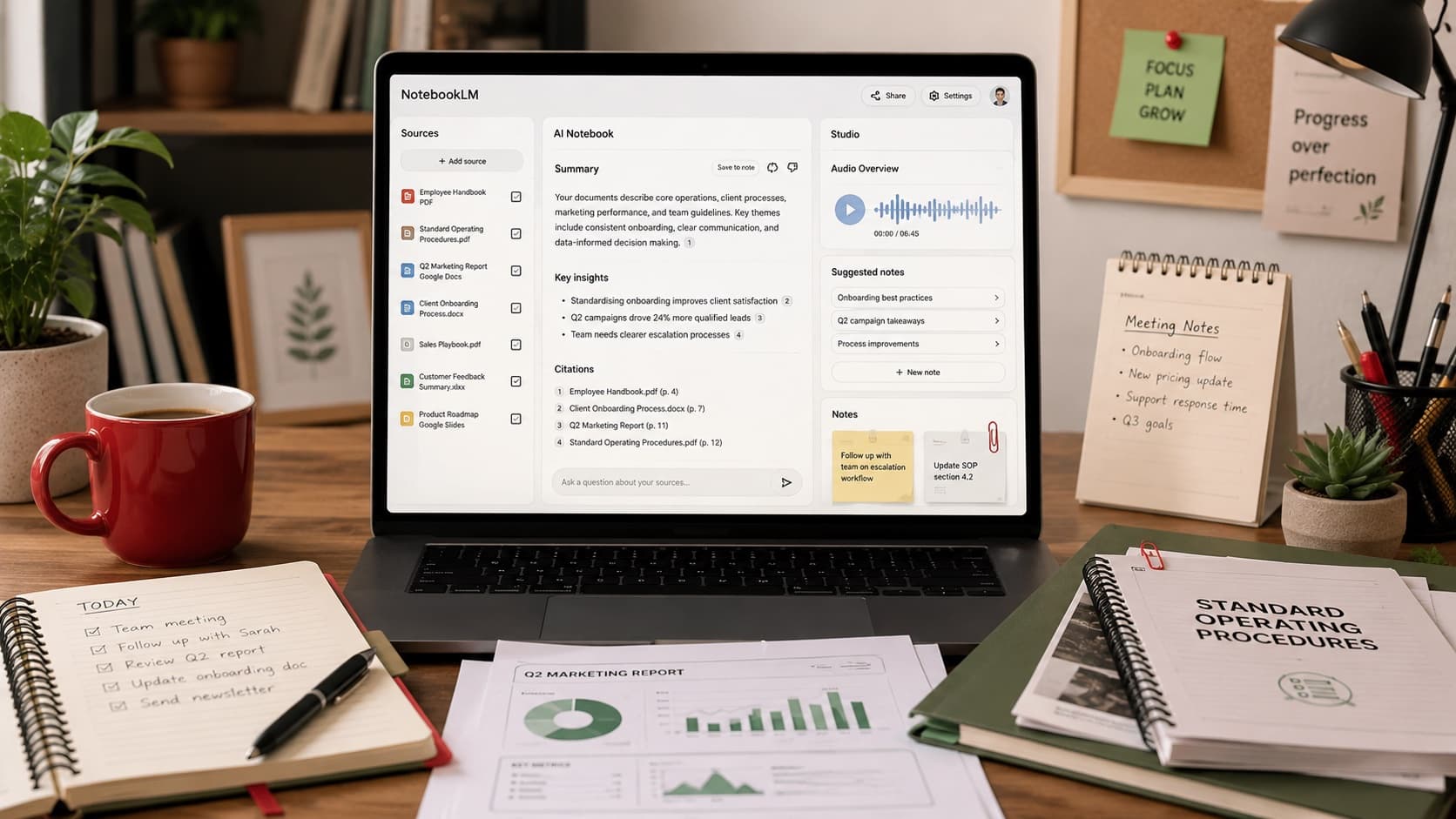
If you've heard me talk about AI for more than five minutes, there's a good chance NotebookLM has come up.
I've demonstrated it in training sessions, spoken about it with business owners, shared it with experienced marketers in San Diego, and talked about it with Michael Stelzner on Social Media Examiner's AI Explored podcast.
I've taught a guest session on it - "NotebookLM: Your AI Thought Leadership Companion" - for the AI Marketing MegaClass, and I've been invited to present a training workshop on it for Social Media Examiner's AI Business Society, their private membership group.
Why?
Because for small businesses, it solves a very real problem.
Most businesses are sitting on years of information.
Procedures. Price lists. Meeting notes.
Training material. Policies. Old newsletters.
Research. Reports. Documents saved in folders that no one wants to open.
NotebookLM helps you turn that pile of information into something you can actually use.
The simple version
NotebookLM is a Google tool that lets you create an AI assistant around your own information.
Instead of asking AI a general question and hoping for the best, you give NotebookLM specific sources to work with.
A source might be:
- a PDF
- a Google Doc
- a website link
- meeting notes
- a training document
- a procedure
- a report
- a transcript
- a set of research notes
Then you can ask questions about those sources.
That's the part people often miss.
NotebookLM isn't just another place to write prompts.
It's more like creating a mini research assistant for one topic, project or part of your business.
How is that different from ChatGPT?
ChatGPT is brilliant for general help.
You can use it for ideas, drafts, planning, writing, brainstorming, emails and everyday business thinking.
NotebookLM is different because it's designed to work from the information you give it.
Google pitches it as an AI research and thinking partner, and for once the marketing matches the reality. You control the documents it works from, so the answers are grounded in the material you choose.
That matters.
Because when you're working with your own business information, you don't want random guesses.
You want to know:
Where did that answer come from?
Which document said that?
Can I check it myself?
NotebookLM gives citations back to the source material, so you can click through and check exactly where the answer came from.
For beginners, that's a huge trust builder.
Think of it like this
Imagine hiring a research assistant and saying:
"Here are all our procedures, price lists, notes and training documents. Please read them, organise the key points, and let me ask you questions whenever I need to find something."
That's the kind of job NotebookLM can help with.
It doesn't replace your brain.
It doesn't replace your judgement.
And it doesn't mean every answer is automatically perfect.
But it can help you get to the right part of your own information much faster.
What this looks like for a small business
Here are a few practical examples.
1. Procedures and policies
Let's say you have a folder full of procedures.
Refunds. Bookings. Customer complaints.
Staff onboarding. Opening and closing checklists.
Instead of someone digging through files and asking, "Where did we write that down?", you can load the relevant documents into NotebookLM and ask:
How do we handle a refund request?
or:
Turn our opening procedure into a checklist for a new staff member.
This is useful for small teams where important knowledge often lives in one person's head or in a folder no one opens.
2. Industry reports and research
You know those long reports you save because they look important?
The ones you tell yourself you'll read later?
NotebookLM can help you pull out the useful bits.
You could upload an industry report and ask:
What are the five most important points in this report for a small tourism business in Cairns?
or:
What trends in this report could affect a local hospitality business?
You still need to use your own judgement, but it helps you get past the "I'll read that one day" stage.
3. Your own content archive
This one is underrated.
If you have years of blog posts, newsletters, captions, articles, training notes or podcast transcripts, NotebookLM can help you search and reuse your own thinking.
You could ask:
What have I already written about pricing?
or:
Find the key points I've made about customer trust.
or:
Turn these past newsletters into a list of blog topic ideas.
For small businesses, this is gold because you've probably already created useful material. It's just scattered.
NotebookLM can help you find it again.
4. Meeting notes and training notes
If you have a messy batch of notes from meetings, planning sessions, workshops or team discussions, NotebookLM can help organise them.
You could ask:
Summarise these meeting notes into decisions, actions and unanswered questions.
or:
Turn these training notes into a checklist for the team.
or:
What are the recurring issues mentioned across these notes?
This is where AI starts to feel less like a writing tool and more like a thinking and organising tool.
5. Audio Overviews
This feature is the one that makes people sit up.
NotebookLM can turn your sources into a podcast-style Audio Overview, where AI-generated voices discuss the material in a conversational way. You can keep working while it plays, check the quotes it drew from, and ask questions about your sources as you listen.
The first time you hear two AI voices chatting about your own documents, it can feel a bit uncanny.
But it can also be surprisingly useful.
You might use it to listen to a summary of:
- training notes
- research material
- a long report
- meeting notes
- a project brief
- background reading before a presentation
It's not perfect, and you still need to check important details, but it can help you absorb information while you're driving, walking or doing something else.
Here's one of my favourite ways to use it.
I keep a notebook loaded with episodes of my favourite AI podcasts. When I'm heading out for a walk, I generate an Audio Overview and hear the episodes discussed a different way - summarised, compared, pulled apart.
And here's the bit people don't expect: you can interrupt it. Mid-conversation, you can jump in, ask a question, and the hosts answer from your sources before picking the discussion back up.
It's been my go-to way of learning about AI since the day the feature was released.
The Studio: nine things it can make from your sources
Audio Overviews live in a part of NotebookLM called the Studio - and the Studio can do a lot more than talk.
It's the panel where NotebookLM turns your sources into finished pieces you can actually use. Nine of them, at last count:
- Audio Overviews - the podcast-style discussions you just read about, in formats from a quick brief to a full debate.
- Video Overviews - short narrated video explainers built from your sources.
- Slide decks - a ready-made presentation you can export to PowerPoint or Google Slides, with the option to ask for fixes to individual slides.
- Infographics - single-image visual summaries in square, portrait or landscape, in a style you choose. Handy for social media.
- Data tables - structured tables you can send straight to Google Sheets.
- Flashcards and quizzes - shareable with a link. Brilliant for staff training.
- Study guides and FAQs - structured summaries for when you need to learn something properly.
- Briefing documents and blog post drafts - written reports pulled together from your sources.
- Mind maps - your whole topic laid out visually, for people who think in branches.
One tip before you press any of those buttons: use the customisation box first. Tell it who the audience is, what tone you want and what to leave out - the same rule as every other AI tool. Most Studio outputs can't be edited afterwards, so the brief you give it upfront is the brief that counts.
And keep your source selection tight. Two to five relevant documents will give you a sharper result than twenty loosely related ones.
Why I like it for beginners
I like NotebookLM for beginners because it feels more grounded than a lot of AI tools.
You're not just asking the internet a random question.
You're working with your own selected material.
You can check the citations.
You can ask follow-up questions.
You can start with one small notebook, one topic and a handful of documents.
That makes it much less overwhelming.
It also teaches one of the most important AI skills: context matters.
The better the information you give an AI tool, the more useful the output becomes.
A few important cautions
NotebookLM is useful, but it's still AI.
That means you should still check important answers yourself.
Don't treat it as legal, financial, medical or compliance advice.
Don't upload sensitive client or customer information unless you understand your privacy settings, your business obligations and the tool you're using.
Google says NotebookLM is built with security measures and that your content isn't used to train its AI models unless you choose to share feedback, and there are extra protections for paid Workspace accounts. But that doesn't mean every business should upload everything without thinking.
Use common sense.
Start with non-sensitive documents first.
How to get started
You don't need to build a giant business brain on day one.
Start small.
Pick one topic in your business.
For example:
- customer FAQs
- staff onboarding
- pricing and packages
- your latest workshop notes
- a research project
- your past newsletters
- a set of procedures
Then choose five to ten documents about that topic and add them to one notebook.
Ask simple questions first:
What are the main points across these documents?
What questions could a new staff member ask about this?
Turn this into a checklist.
What have I said more than once?
What's missing or unclear?
That's enough to start.
Want to go deeper? There's a free guide.
I've written a free NotebookLM Master Guide - 19 chapters, in plain English, built for beginners.
It's being revised right now to cover NotebookLM's newest updates, so if you pop your name on the list, the new edition will land straight in your inbox the moment it's ready.
My plain-English advice
If you're brand new to AI, start with ChatGPT first so you get used to talking to an AI tool. (Not sure where to begin? Here's my beginner's guide to choosing your first AI tool.)
But once you're ready to work with your own information, NotebookLM is one of the first tools I'd explore.
Not because it's flashy.
Because it's practical.
It helps you make sense of the information you already have, find things faster, organise your thinking and turn scattered documents into something useful.
And for a small business, that can save a lot of time.
If you'd like someone to walk you through it with your own business in mind, I'm building beginner-friendly AI training and workshops for small business owners.
Register your interest and I'll let you know when the next session is ready.